



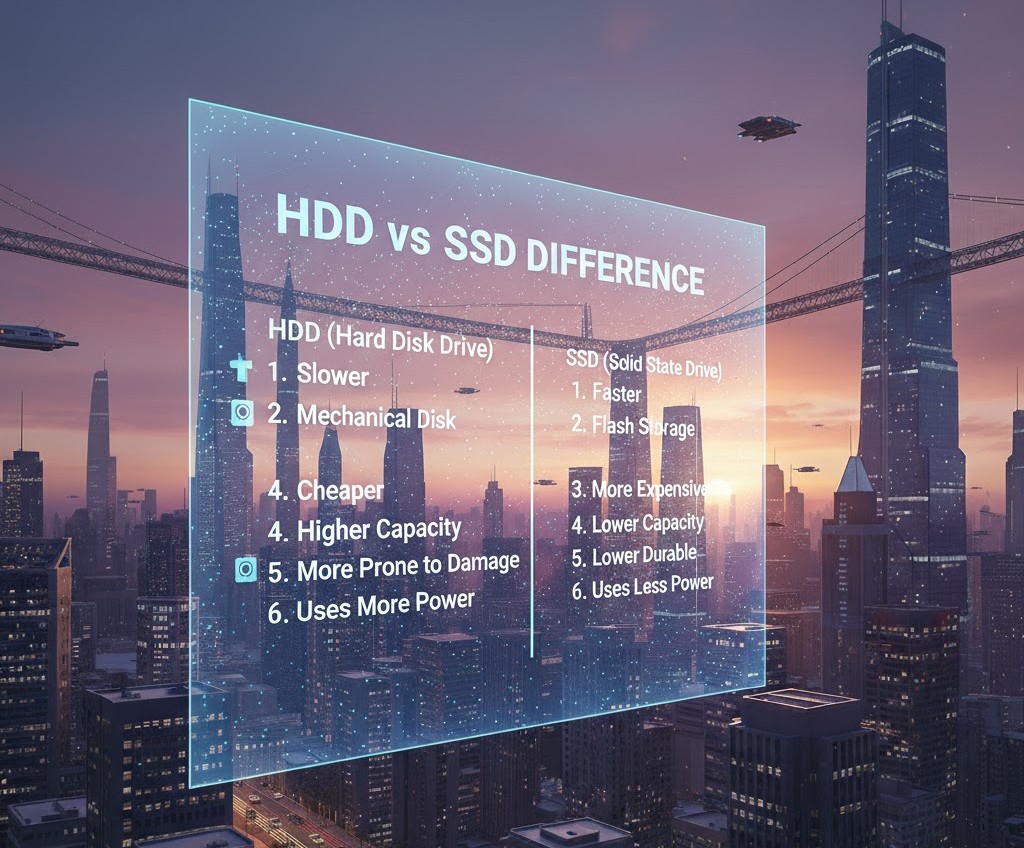
HDD vs SSD Difference
Introduction
Have you ever noticed how some laptops start up in seconds while others take forever just to reach the desktop? Or why an older computer feels slow even if everything else seems fine? In many cases, the answer comes down to one crucial component: the storage drive.
If you’re a student, beginner, or someone planning to buy a new laptop, understanding the difference between HDD and SSD can save you money, frustration, and time. These two types of storage devices do the same basic job they store your operating system, software, and files but they work in completely different ways.
In this guide, we’ll break down what HDD and SSD really mean, how they work, their pros and cons, and which one is better for different types of users. By the end, you’ll not only understand the technical difference but also know which option makes sense for your needs.
What Is a Storage Drive and Why It Matters
Before comparing HDD and SSD, let’s clarify what a storage drive actually does.
Your computer has several major components:
-
CPU (processor) – the brain
-
RAM (memory) – short-term workspace
-
Storage (HDD or SSD) – long-term data storage
The storage drive is where everything lives permanently:
-
Windows or macOS
-
Applications like Chrome or Photoshop
-
Documents, photos, videos, and games
When you turn on your computer, the operating system loads from the storage drive into RAM. So if your storage device is slow, everything feels slow.
That’s why the HDD vs SSD difference is not just technical — it directly affects performance.
What Is an HDD (Hard Disk Drive)?
An HDD (Hard Disk Drive) is the traditional storage device that has been used in computers for decades.
How HDD Works
An HDD uses spinning magnetic disks (platters) and a mechanical arm that reads and writes data. Think of it like a record player:
-
The disk spins.
-
A tiny arm moves across the surface.
-
Data is read or written magnetically.
Because it has moving parts, it is a mechanical device.
Key Characteristics of HDD
-
Slower data access
-
Larger storage at lower cost
-
Makes slight noise (spinning sound)
-
More vulnerable to physical damage
HDDs are usually available in larger capacities like 1TB or 2TB at affordable prices.
What Is an SSD (Solid State Drive)?
An SSD (Solid State Drive) is a newer type of storage device that uses flash memory similar to a USB drive but much faster and more advanced.
How SSD Works
Unlike HDDs, SSDs:
-
Have no moving parts
-
Store data in memory chips
-
Access data electronically, not mechanically
Because there’s no spinning disk or moving arm, SSDs are dramatically faster.
Key Characteristics of SSD
-
Extremely fast boot times
-
Faster file transfer
-
Silent operation
-
More durable
-
Slightly higher cost per GB
When you use a laptop with an SSD, the difference is noticeable immediately.
HDD vs SSD: The Core Differences Explained
Let’s break down the most important differences in practical terms.
1. Speed
This is the biggest difference.
-
HDD speed: Typically 80–160 MB/s
-
SSD speed: 300–3500+ MB/s (depending on type)
In real life, this means:
-
An HDD computer may take 1–2 minutes to boot.
-
An SSD computer may boot in 10–15 seconds.
Opening large software, transferring files, and gaming are all faster with SSD.
Winner: SSD
2. Durability
Because HDDs have moving parts, they can be damaged more easily if:
-
The laptop is dropped
-
The device is shaken while running
SSDs have no mechanical parts, so they are more shock-resistant.
Winner: SSD
3. Noise and Heat
HDDs:
-
Make slight spinning noise
-
Generate more heat
SSDs:
-
Completely silent
-
Stay cooler
If you prefer quiet laptops, SSD is better.
Winner: SSD
4. Storage Capacity
HDDs are more affordable for large storage.
For example:
-
1TB HDD = relatively cheap
-
1TB SSD = more expensive
If you need huge storage for movies, backups, or large files, HDD may be cost-effective.
Winner: HDD (for budget storage)
5. Price
Per gigabyte, HDD is cheaper.
However, SSD prices have dropped significantly over the past few years. For students, a 256GB or 512GB SSD is now affordable and more practical.
Winner: HDD (for budget), SSD (for performance)
Types of SSDs You Should Know
Not all SSDs are the same.
SATA SSD
-
Similar shape to HDD
-
Faster than HDD
-
Common in older laptops
NVMe SSD
-
Much faster than SATA
-
Connects via PCIe
-
Found in modern laptops and PCs
If you’re buying a new laptop, check if it has NVMe SSD — it offers the best performance.
Real-World Example: Student Laptop Comparison
Imagine two students:
Student A
-
1TB HDD
-
8GB RAM
Student B
-
512GB SSD
-
8GB RAM
Even though Student A has more storage, Student B’s laptop will:
-
Boot faster
-
Open apps instantly
-
Feel smoother overall
For daily use like browsing, assignments, Zoom classes, and basic editing, SSD makes a huge difference.
Which Is Better for Gaming?
Gamers often ask this question.
-
Games load much faster on SSD.
-
Large open-world games benefit greatly.
-
Frame rate is mostly controlled by GPU, not storage but loading times matter.
Modern gaming systems prefer SSD, especially NVMe SSD.
Which Is Better for Office Work and Study?
For:
-
MS Word
-
Excel
-
Web browsing
-
Online classes
An SSD improves overall experience. Even a small 256GB SSD is better than a large HDD for most students.
If you need both speed and storage, many users choose:
-
SSD for Windows and software
-
HDD for storage
This is common in desktop computers.
Common Myths About HDD and SSD
Myth 1: SSDs Don’t Last Long
Early SSDs had limited write cycles, but modern SSDs last many years under normal usage.
For regular student or office use, lifespan is not a major concern.
Myth 2: More Storage Means Better Performance
Storage size does not equal speed.
A 2TB HDD is still slower than a 256GB SSD.
Myth 3: SSD Makes Internet Faster
SSD improves system performance, not internet speed.
However, browsers may feel faster because pages load locally quicker.
When Should You Choose HDD?
Choose HDD if:
-
You need massive storage on a tight budget
-
You store large media files
-
You are building a secondary backup system
HDD is still useful for:
-
Data archives
-
CCTV storage
-
External backup drives
When Should You Choose SSD?
Choose SSD if:
-
You want faster performance
-
You are a student or professional
-
You use heavy software
-
You value durability and silence
For most modern users, SSD is the smarter choice.
Can You Upgrade from HDD to SSD?
Yes and it’s one of the best upgrades you can make.
Upgrading from HDD to SSD can:
-
Make an old laptop feel new
-
Improve boot speed dramatically
-
Increase overall responsiveness
Many technicians recommend SSD upgrade before buying a new laptop.
Quick Summary: HDD vs SSD
In simple terms:
-
HDD = mechanical, slower, cheaper, larger storage
-
SSD = electronic, faster, more durable, slightly expensive
If performance matters, SSD wins.
If budget and storage matter most, HDD still has value.
FAQs About HDD vs SSD
1. Is SSD better than HDD for students?
Yes. SSD provides faster boot time and smoother performance, which is ideal for study and daily tasks.
2. Can I use both HDD and SSD in one computer?
Yes, especially in desktop PCs. Many users install Windows on SSD and store files on HDD.
3. Does SSD improve gaming performance?
It reduces loading times but does not directly increase FPS.
4. How much SSD storage is enough for students?
256GB is minimum recommended. 512GB is ideal for long-term use.
5. Is HDD outdated?
Not completely. HDD is still useful for large storage and backups, but SSD is the modern standard for performance.
Conclusion
Understanding the HDD vs SSD difference is essential if you’re buying or upgrading a computer. While both serve the same purpose storing your data they deliver very different experiences.
HDDs are affordable and offer large storage, but they are slower and mechanical. SSDs are faster, more durable, silent, and significantly improve overall system performance.
For students, beginners, and everyday users, an SSD is one of the best investments you can make in a computer. It improves productivity, saves time, and makes technology feel smooth and responsive.
As technology continues to advance, SSDs are becoming the standard choice in modern laptops and desktops. If you’re planning your next upgrade, understanding this difference ensures you make a smart, future-ready decision.
Tags :
No Tags

0 Comments