Master Microsoft Word 2026 – AI-Powered
Course Description
Microsoft Word is the world’s most widely used word-processing software and an essential skill for every student, office worker, freelancer and business owner. From assignments and resumes to official letters, reports and certificates, almost every job expects you to use Word confidently — and now, with AI built right into it, the people who learn to combine Word with AI will work faster and smarter than everyone else.
This masterclass takes you from a complete beginner to a confident, AI-powered Word professional. You will learn everything from typing, formatting and page layout to tables, images, charts, styles, Table of Contents, footnotes, mail merge, macros, track changes and document protection. You will also learn how to use AI tools like Microsoft Copilot, ChatGPT and Claude to draft, rewrite and proofread content, and turn it into properly formatted Word documents. Every lesson is explained step by step in simple Urdu and Hindi.
This course is built for beginners, students, office professionals, virtual assistants and freelancers who want to create resumes, cover letters, business letters, memos, reports, certificates and letterheads with a professional finish.
This is not just theory. You will build real documents step by step in every module, test yourself with a quiz after each module, and finish with real-world projects that you can use for your job, your studies or your freelancing portfolio.
What You Will Achieve After This Course
- Understand the MS Word interface, ribbon, file formats and document views
- Type, select, edit and format text, paragraphs, bullets and multilevel lists
- Set up margins, orientation, page size, headers, footers, breaks, columns and themes
- Insert and design tables, pictures, icons, SmartArt and charts
- Use built-in and custom styles, templates and an automatic Table of Contents
- Add footnotes, endnotes, citations, bookmarks and cross-references
- Create personalized letters, envelopes and labels with Mail Merge and Excel data
- Automate repetitive work with Macros
- Review and collaborate using Track Changes, Comments, Compare and OneDrive sharing
- Use Copilot, ChatGPT and Claude to write, rewrite and proofread documents
- Design resumes, cover letters, business letters, memos, reports and certificates
Course Highlights & Bonuses
- 46 step-by-step video lessons across 10 complete modules (3+ hours of practical training)
- Hands-on practice with real document examples in every module
- A quiz at the end of every module to test your learning
- A complete AI module covering Microsoft Copilot, ChatGPT and Claude for documents
- Real-world projects: an AI-assisted professional report and a resume & cover letter package
- Regular free updates as Microsoft Word and its AI features evolve
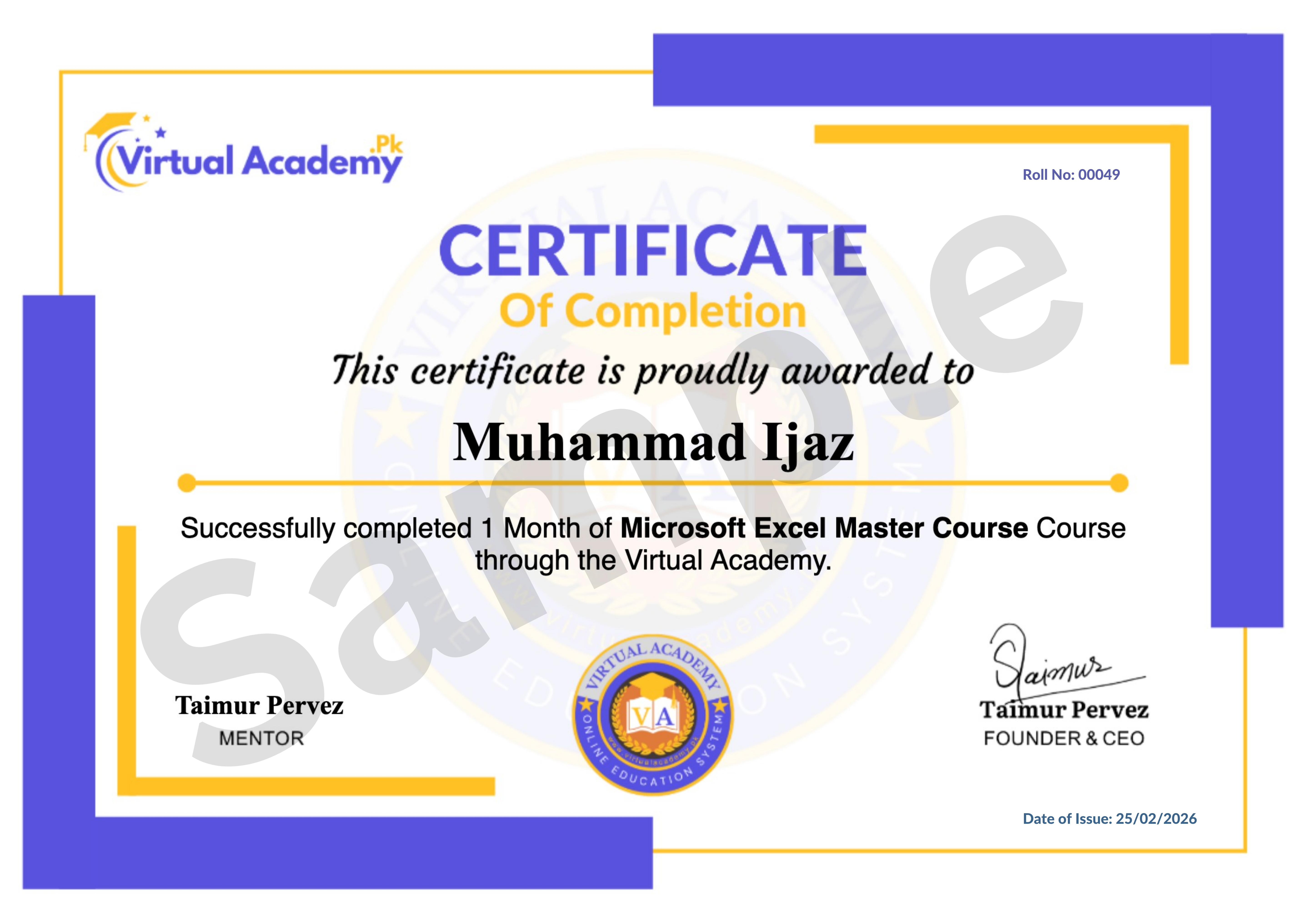
- Registered Diploma / Certificate upon completion
- Lifetime access — learn at your own pace, revisit anytime
Who Should Join This Course?
- Beginners with zero experience in MS Word
- Students who want to make professional assignments and reports
- Office workers, data entry operators and virtual assistants
- Freelancers offering content writing, resume or document formatting services
- Business owners who want to create their own letters, memos and proposals
Prerequisites
You do not need any prior experience. All you need is:
- Basic computer usage
- Basic understanding of file browsing and folder management
- A stable internet connection
System Compatibility
This course is accessible on all your devices:
- Windows PCs and laptops
- macOS (all recent versions)
- Android smartphones and tablets
- iPhone and iPad (iOS devices)
Learn anytime, anywhere, on your desktop, laptop, tablet, or mobile.
One-Time Payment, Lifetime Access
No subscriptions. No hidden charges. No monthly fees. Pay once and get lifetime access to the entire course. Watch the videos as many times as you want, whenever you want. There is no expiry date.
Free Lifetime Updates
Microsoft Word and its AI features keep changing, and so does this course. Whenever we add new lessons, new tools, new techniques, or update existing content, you get it completely free. No extra payment, ever. Pay once and stay updated for life.
Certification
This course is hosted on the Virtual Academy LMS (www.virtualacademy.pk). Upon successful completion, you will receive a Registered Diploma or Certificate that you can add to your resume, portfolio, or LinkedIn profile.
To earn your certificate, you need to:
- Complete all modules on the LMS
- Pass the quiz for each module
- Submit any required assignments or projects
Once completed, your diploma will be available to download directly from the LMS.
Our Promise to You
We are confident this course will change the way you create documents. Every lesson is practical, clear and focused on skills you will actually use at work, in your studies, or in your freelancing career — and you can watch every lesson as many times as you need.
Why Enroll Now?
MS Word skills are required in almost every office job, and combining Word with AI tools makes you even more valuable. Employers and clients today expect professional, well-formatted documents delivered quickly.
The sooner you start learning, the sooner you can start earning, whether through a job, freelancing, or your own business.
One-time payment. Lifetime access. Lifetime updates. Zero risk.
Frequently Asked Questions
Do I need any prior experience with MS Word?
No. This course starts from the very basics and builds up step by step, so absolute beginners can follow along easily.
Do I need Microsoft 365 or Copilot to take this course?
No. Most lessons work on any recent version of MS Word. Copilot needs a Microsoft 365 subscription, but the ChatGPT and Claude lessons show you how to use AI with Word even without Copilot.
Is the course really lifetime access?
Yes. You pay once and get lifetime access to all current lessons, plus every future update, at no extra cost.
Can I learn on my mobile phone?
Yes. The course is fully accessible on Windows, macOS, Android, and iOS, so you can learn anytime, anywhere.
Will I get a certificate?
Yes. After completing all modules, quizzes, and required assignments on the LMS, you receive a Registered Diploma or Certificate.
What if I have questions while learning?
You can message our support team directly on WhatsApp, and we typically reply within 30 minutes to 1 hour.
Need Help? Contact Us on WhatsApp
Have any questions about the course? Feel free to reach out to us on WhatsApp. We try our best to reply within 30 minutes to 1 hour.
Message us anytime, and our team will guide you regarding the course, enrollment, or any other queries you may have.
WhatsApp: wa.me/923215124534
Enroll today and start your journey toward mastering Microsoft Word with AI.
Course Details
- What Is MS Word – Uses & Career Scope
- MS Word Interface & Ribbon Tour
- Creating, Saving & Opening Documents
-
File Formats – DOCX, PDF, RTF & TXT (Locked) 4:21 Min

-
Document Views & Zoom Options (Locked) 3:28 Min
-
Module 1: QUIZ (Locked)
No Notes available for this chapter
-
Typing, Selecting & Editing Text (Locked) 4:13 Min
-
Font Formatting – Font, Size, Color & Styles (Locked) 4:13 Min
-
Paragraph Formatting – Alignment, Spacing & Indentation (Locked) 4:03 Min
-
Bullets, Numbering & Multilevel Lists (Locked) 3:15 Min
-
Find & Replace, Spelling & Grammar Check (Locked) 3:27 Min
-
Module 2: QUIZ (Locked)
No Notes available for this chapter
-
Margins, Orientation & Page Size (Locked) 3:12 Min
-
Headers, Footers & Page Numbers (Locked) 3:22 Min
-
Page Breaks & Section Breaks (Locked) 3:48 Min
-
Columns & Text Boxes (Locked) 3:26 Min
-
Themes, Styles & Design Tab (Locked) 3:17 Min
-
Module 3: QUIZ (Locked)
No Notes available for this chapter
-
Inserting Tables – Rows, Columns, Merge & Split (Locked) 4:12 Min
-
Table Design & Formatting (Locked) 4:20 Min
-
Inserting Pictures, Icons & SmartArt (Locked) 5:18 Min
-
Picture Formatting & Text Wrapping (Locked) 3:43 Min
-
Inserting & Formatting Charts (Locked) 4:03 Min
-
Module 4: QUIZ (Locked)
No Notes available for this chapter
-
Using Built-in Styles for Consistency (Locked) 4:36 Min
-
Creating Custom Styles & Templates (Locked) 4:47 Min
-
Table of Contents (Locked) 4:10 Min
-
Footnotes, Endnotes & Citations (Locked) 4:47 Min
-
Bookmarks & Cross-References (Locked) 4:17 Min
-
Module 5: QUIZ (Locked)
No Notes available for this chapter
-
Mail Merge – Personalized Letters (Locked) 4:46 Min
-
Connecting Excel Data to MS Word (Locked) 4:09 Min
-
Envelopes & Labels with Mail Merge (Locked) 6:14 Min
-
Macros – Introduction & Recording (Locked) 5:10 Min
-
Module 6: QUIZ (Locked)
No Notes available for this chapter
-
Track Changes – Accepting & Rejecting Edits (Locked) 4:33 Min
-
Adding & Managing Comments (Locked) 4:43 Min
-
Comparing & Combining Documents (Locked) 4:27 Min
-
Document Protection & Restrict Editing (Locked) 4:49 Min
-
Sharing & Co-authoring via OneDrive (Locked) 5:07 Min
-
Module 7: QUIZ (Locked)
No Notes available for this chapter
-
Introduction to Copilot in Word – Setup (Locked) 3:44 Min
-
Drafting & Rewriting Content with Copilot (Locked) 3:59 Min
-
Using ChatGPT & Claude to Generate and Edit Content (Locked) 4:22 Min
-
Proofreading, Rewriting & Changing Tone with AI (Locked) 4:01 Min
-
Prompt Writing for Documents – Elements & Common Mistakes (Locked) 5:15 Min
-
Turning AI-Generated Text into Formatted Word Docs (Locked) 4:48 Min
-
Module 8: QUIZ (Locked)
No Notes available for this chapter
-
Resume & Cover Letter Design (Locked) 4:55 Min
-
Business Letters & Memos (Locked) 7:18 Min
-
Reports with Cover Page & TOC (Locked) 5:38 Min
-
Certificates & Formal Letterheads (Locked) 5:21 Min
-
Module 9: QUIZ (Locked)
No Notes available for this chapter
-
Real-World Project – Professional Report with AI Assistance (Locked) 4:42 Min
-
Real-World Project – Resume & Cover Letter Package (Locked) 5:20 Min
-
Module 10: QUIZ (Locked)
No Notes available for this chapter
Meet Your Instructor(s)

.png)
 Level
 Duration
 Chapters
 Quizzes
 Certifications
 Language